

 0
0
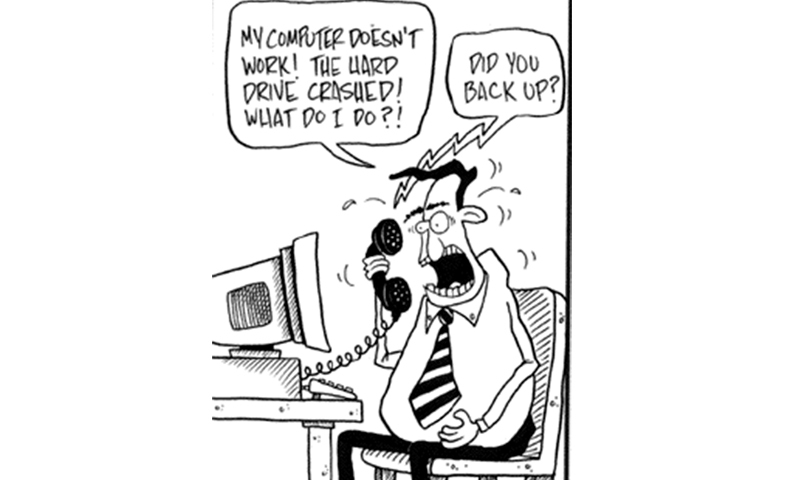
Imagine this: you’ve worked all night on a presentation for a morning meeting, you are reviewing documents, and you spill coffee on your laptop. In an instant, all is lost: the presentation, photographs, videos, documents, installed programs, all your effort … everything. If only you had backed up all data, you wouldn’t be fuming.
In this day and age, data management has become a necessity. All work is generally conducted on computers, tablets and our smartphones. With data being so critical to our work dynamics, if we lack any contingency plan to backup data, we could be in for a real disaster. Luckily, we have a range of tools at our disposal, some are freeware and others are paid solutions, to backup precious data.
AOMEI Backupper
AOMEI Backupper is free to use and has a very intuitive interface. It is simple to use and gives the user the flexibility of backing up the system as a whole, or backing up individual folders/files, disk and partition backups. With one click, you can create an image file of all your data which can be utilised to construct a restore later. There is flexibility to incrementally backup your data or to opt for differential backups for extra speed. AOMEI Backupper also offers the ability to compress and encrypt your data backup, but scheduled backups can only be run manually. This software can be downloaded from this URL: http://www.backup-utility.com/free-backup-software.html
Backup Maker
Backup Maker is also free for personal use and is very easy to use. It gives you the option of selecting your data, and the flexibility to automate your scheduled backups. Within an instant, your valuable documents are transferred in zip format to a hard drive, USB flash drive or directly to a CD/DVD. It also has the added benefit creating data backups to FTP servers and running instantaneous backups to USB drives. It also offers encryption up to 256bits (AES). Backup Maker can be downloaded from this URL: http://www.backupmaker.com
OneDrive (Cloud Backup)
Now we come to the option of backing up data to the cloud. OneDrive offers free storage of 7GB with the added flexibility of gaining 3GB extra space if you enable camera backup option on your smartphone or tablet application. Refer OneDrive to a friend and both of you will receive +500MB. Refer up to 10 friends for a maximum of 5GB. This gives you a grand total of 15GB space, which is sufficient enough to save a few thousand high quality photographs, videos, documents at your disposal to backup.
The best thing about OneDrive is that it offers the ability to backup select data or in entirety. And the data is synchronised across all platforms whether it is Windows, Mac, iOS, Android. So, for example, if you have backed up a Word document on your PC, it will be very easily accessible on your iPad by installing the OneDrive app from the iOS app store and logging in. You also have the added option of purchasing additional storage space starting from $25 annually for 50GB storage space to $100 for 200GB storage space. OneDrive can be downloaded for Windows and Mac from this URL: https://onedrive.live.com/about/en-us/download/
 |
Copy
Copy is another online cloud backup solution provided by Barracuda, a trusted name in network security. It offers you 15GB of free space with the flexibility of backing up your data via your Windows PC, Mac OS X, Linux and syncing it cross platform and accessing it on iOS, Android devices. For increased security purposes, it offers layers of encryption which includes AES 256bit. Copy offers features like secure sharing, source validation and identity verification which makes sure that the content is only seen by the people you desire. It offers 250GB paid storage for individual usage which is priced at $99 annually or $9.99 per month. Copy can be downloaded for Windows, Mac and Linux from this URL: https://www.copy.com/home/
Dropbox
One of the earliest and most popular cloud storage services around, Dropbox has a cult following and is known to offer seamless integration with a variety of platforms. It’s easy to use interface and sharing features makes it stand out from its competitors. It offers only 2GB of free space unlike its competitors, but by referring Dropbox to your friends and family, enabling camera backup on any iOS or Android device, and completing various other tasks, it is possible to gain up to 16GB of free space without paying a dime.
Sync your content to Dropbox via Windows or Mac OS X app, you can add, edit and view your data on the go from anywhere in the world. You have the option to only select that data for syncing to Dropbox that you want to get backed up. It offers industrial grade encryption like the industry norm 256bit (AES) and two step verification as an added security layer. For paid storage, plans start from $99 for 100GB to $500 for 500GB storage annually. It can be downloaded from this URL: https://www.dropbox.com
Published in Dawn, Sunday Magazine, June 29th, 2014