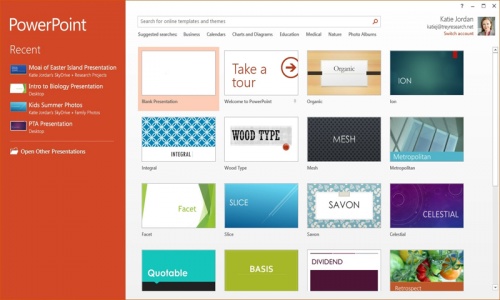

BARCELONA, Spain: Microsoft's Office is the go-to software package for creating and sharing documents, spreadsheets and presentations. Google's Docs has emerged as a good, free alternative for lightweight tasks. But what's often overlooked is Apple's iWork.
Last fall, the iWork applications for the Mac - Pages for word processing, Numbers for spreadsheets and Keynote for presentations - got their first major update since 2009 and now work better with iPhone and iPad versions. Apple also developed an online version that can work on Windows computers and let several people collaborate on a single document more easily.
Apple's iWork won't replace Office, and Google Docs is better in some ways. But after using iWork for a few months, I've come to appreciate the ways it simplifies work. It became my primary way of writing news stories at last week's Mobile World Congress wireless show in Barcelona, Spain.
The best part: iWork is free with the purchase of new Apple devices (the Mac version with new Macs and the iOS apps with new iPhones or iPads). Once you get it, you can install iWork on older devices. Otherwise, each of the three apps costs $20 for Macs and $10 for mobile devices, or $90 for everything. That's a one-time fee. To use Office on multiple devices, Microsoft charges $100 a year.
Using iWork on desktops and laptops:
With both Office and Google Docs, you primarily deal with a toolbox of options at the top. That's where you go to change fonts or adjust line spacing. With iWork, many of those options are moved to a palette on the right, which fills in the computer's horizontal screen much better.
More importantly, those options change depending on context. For basic text, you get basic formatting options such as font and size. Insert a chart, and you can adjust the gap between columns. Drag and drop a photo onto a Pages document, and you get image-editing tools such as cropping and color adjustment.
In a sense, the available features come to you, and you're invited to explore.
With spreadsheets, the palette on the right side presents all 267 options for formulas and calculations, arranged in categories. Click on any one for a full description of what it does and how it works.
With Excel, I use no more than a half-dozen formulas, mostly because I don't know about the others or can't be bothered to figure out the syntax. With Numbers, I choose one from a list - let's say, "ROUND." I'm then shown where to enter the number to round and the number of decimal places to use.
Another neat feature: Select a column of numbers - let's say, 4, 8, 15, 16, 23 and 42. The app will automatically calculate the results using five of the most-used formulas - such as 108 for "SUM" and 18 for "AVERAGE."
Using iWork elsewhere:
Although some options and templates are missing from iPhones and iPads, Apple does a good job of keeping the iOS apps consistent with the Mac applications. The main change: Instead of finding options to the right, you tap various buttons to access them.
In fact, many long-time iWork users have complained that Apple adapted the Mac version too much to achieve consistency with iOS. Some features, such as using files in Rich Text Format, went away. Apple promises to bring some of the features back in the coming months.
I would rather have that consistency.
With Office, the smartphone app is so bare-bones, I've hardly used it. And there's no Office app at all for iPads and Android tablets; you're limited to a Web version that requires a constant Internet connection. Microsoft wants to preserve Office as a selling point for its Windows tablets.
With iWork, documents are shared and synced through Apple's iCloud storage service. Changes made on the Mac show up on the iPad within seconds. Line and page breaks stay the same.
That consistency extends to some degree to the Web version, known as iWork for iCloud. Formatting remains the same. But because it's still in a "beta" test version, the Web version lacks key features. You can't track changes or view and leave comments, for instance. New features have been coming every month or two, so expect improvements over time.
Unfortunately, there's no app or iCloud support for devices running the rival Android system from Google. And for Windows, you must stay online to use iCloud.
Collaborating:
One big omission with iWork had been the ability to work with others on the same documents. With the Web version, you can now send others a link from the Web or any of the apps. Your collaborators can open up the document on the Web. No Apple account or iWork app is needed.
It's not as smooth or as versatile as the offerings in Google Docs. When two people try to change the same iWork document at the same time, everything stops until the document's creator chooses which version to keep. With Docs and Office, each side gets the other's changes. It's not automatic with Office, but at least it works. This is one shortcoming I hope Apple addresses before the online version leaves its test phase.
It's easy to convert Office files to iWork and back, but you might lose formatting and formulas. Numbers replaced some complex formulas I had in Excel with static numbers.
Because of this, and the fact that there are no stand-alone Windows apps, iWork isn't ready yet as a replacement for Office.
A colleague in Korea had some trouble opening a Pages document I tried to share through the Web, so I had to copy text into an email message. And stories I wrote in iWork had to be pasted into a generic format for editing.
Nonetheless, iWork is a good option for personal documents that don't require a lot of sharing. If that's all you need, there's no sweeter word than free.