
Twitter is one of the most used social media websites out there to gain access to real time news, views and interacting with people globally. It provides a medium for users to communicate and air their views with complete freedom. With the added freedom comes the eventual risk of being susceptible to trolling, stalking and harassment. The threats are real and very active, so in order to streamline your Twitter experience the best way is to tweak your security and privacy settings which are explained below:
After you have logged in to your account by providing your user-id and password you will be shown your timeline, navigate to your display picture in the upper right hand corner and click it to get an expanded menu. Click on settings as highlighted in arrow below:
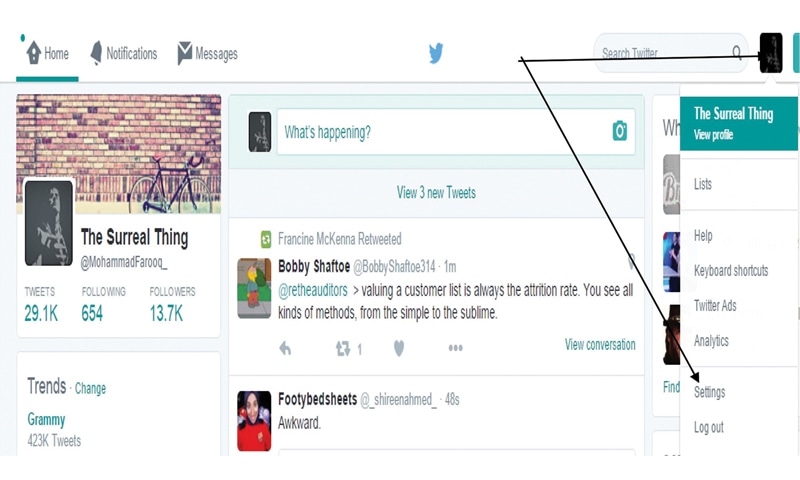
You will be greeted with a page housing your security, privacy and other settings but our concern is with only the first two:
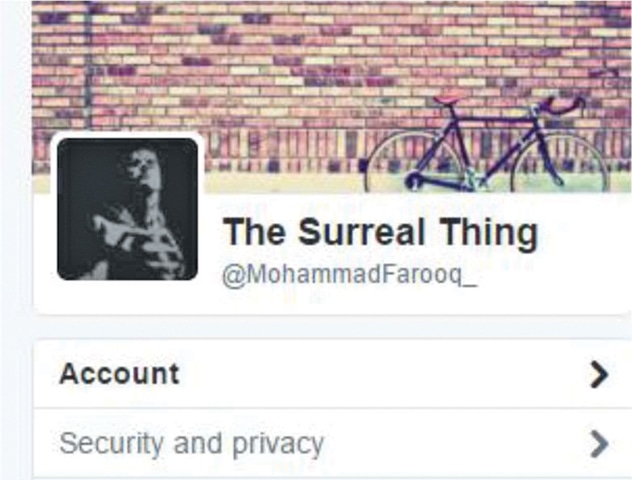
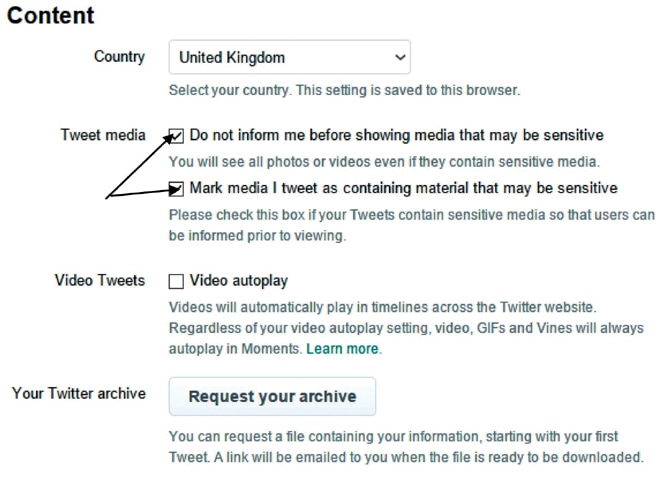
The “Account” menu houses within it a “Content” option to tinker around with. The “Tweet Media” option allows you to mark media that you are tweeting maybe offensive or sensitive in nature. You can check or uncheck it at your own discretion. On the contrary, there is an option to check or uncheck photo’s or videos being displayed in tweets that you may deem as gory, offensive as shown in the arrows below:
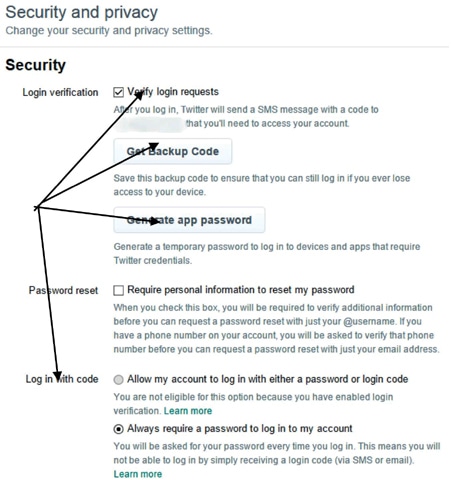
Now to our main objective is to customise the “Security & privacy settings”. The Security tab allows to verify your login requests, activate two-factor authentication (2FA), get a backup code to access your account in case you lose or forget your password. “Generate app passwords” for applications that require temporary access to your Twitter account is also available. If you have enabled “Verify Login Requests” your account will always receive a code on your mobile number in order to login to your Twitter account.
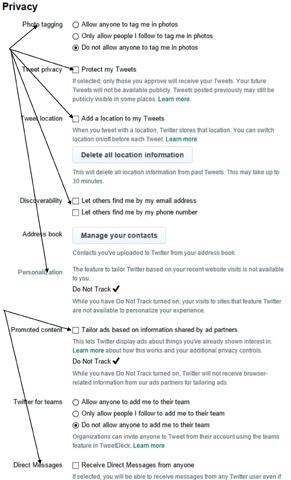
The privacy tab is the main hub where all the tinkering would be required to streamline your Twitter usage experience. As shown below, there are a number of options any user would prefer to turn off. For example, “Photo Tagging” in my case has been disabled or disallowed, this allows any follower or friend of yours to tag you in a photograph of theirs they are tweeting on Twitter. “Protect my Tweets” allows you to lock your account, all follower requests will have to be approved by you solely, tweets posted won’t be available for public consumption, and this allows full control over who views what and reads on your account. “Tweet Location”, if enabled, allows you to be tracked from the location you are tweeting from at that point in time, which is a privacy risk and should be disabled by default. The “Discoverability” option doesn’t require much explanation, it can be enabled or disabled at your own discretion; if you want to protect your privacy it is advised that you uncheck both the options. “Personalisation and Promoted content” tab gives you the option to enable or disable “Do not Track” which is recommended that you turn it off along with the “Tailored Ads” option too. The option of receiving “Direct Messages” from anyone should be unchecked due to unsolicited spam, links could be shared that you click unknowingly which could compromise your account.
Published in Dawn, Sunday Magazine, December 20th, 2015